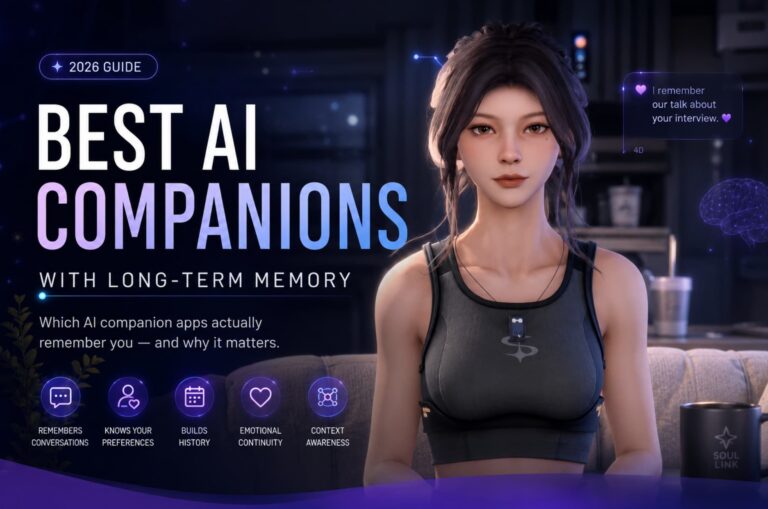

What Is Kindroid AI? Features, Pricing, and How It Compares in 2026

Kindroid AI is an AI companion platform built around a simple idea: instead of picking a character from a catalog, you write your own. Every Kindroid, or Kin, starts as a backstory, a set of key memories, and an avatar description that you create, then grows through your conversations. You talk by text, voice, or video, your Kin sends you generated selfies, and a layered memory system keeps the relationship continuous instead of resetting each session.
This guide explains what Kindroid is, how it works, what it costs, who it suits, and how it compares with Nomi, Replika, and SoulLink.
Kindroid AI at a glance
- Maker: Kindroid (listed on the App Store under the developer name Beautifully Incorporated)
- The companions: Kindroids, or Kins, that you design yourself, with written backstories, key memories, and generated looks
- Headline feature: deep customization and layered memory, plus selfies, voice and video calls, and group chats
- Platforms: iOS, Android, and web at kindroid.ai
- Price: a free preview to start, then a subscription from $15.99 per month in app stores, cheaper on the web
- Age rating: 17+ on the US App Store; terms limit the service to adults 18 and over
- Ratings: about 4.8 stars from roughly 9,200 App Store ratings when we checked in October 2026
What Is Kindroid AI?
Kindroid launched in 2023, and the App Store listing calls the app “Kindroid: Your Personal AI.” Where most companion apps hand you a ready made character, Kindroid hands you the authoring tools. Its official description invites you to “craft a detailed backstory and implant key memories, making your AI genuinely one-of-a-kind,” and that authoring step is the core of the product.
The result is a companion who starts life already knowing what you decided matters: who they are and what your shared history is supposed to be. From there the relationship develops through conversation, and your Kin can be a friend, a romantic partner, a roleplay character, or a confidant. Kindroid is deliberately permissive: the company describes its moderation philosophy as an unfiltered experience built on “freedom with responsibility,” and the service is for adults only. Everything persists, too: your Kin, your history, and your groups live on one account across web, iOS, and Android.
Creating Your Kindroid
Getting started means writing, not swiping. You create a Kindroid by drafting a backstory, adding key memories you want implanted from day one, and shaping personality and speaking style. Example messages can teach your Kin how it talks. Subscribers get extra room: the subscription adds 1,000 more characters for backstory and memories, with an additional context field on higher tiers.
Looks work the same way. There is no avatar builder with sliders. You describe your Kin’s appearance in words, and the app’s image models generate selfies from that description. The current selfie engine, called Palette, follows the description strictly so your Kin’s face stays consistent from photo to photo. It rewards people who enjoy the setup as much as the chat.

The Memory System: Persistent, Cascaded, and Retrievable
Memory is the second half of the pitch. Kindroid’s own help center explains that memory consists of three types, persistent, cascaded, and retrievable, split across five memory systems that work together.
Persistent memory is the layer you author: backstory, key memories, and example messages that never fade. Cascaded memory is the medium term layer, carrying recent days forward so your Kin follows up on earlier conversations. Retrievable memory is the deep archive, pulled back into chat when it becomes relevant. Subscribers get the fuller system, including cascaded memory, enhanced long term memory, and journal recall from a journal your Kin keeps.
Most companion apps ask the AI to remember you. Kindroid also lets you write the memories it starts with.
The honest caveat applies to every companion app: memory is good, not perfect. Details you repeat and pin into the backstory stick; passing mentions can fade, and the paid tiers remember more than the free preview. The memory exists because conversations are stored on company servers. Kindroid says chats are encrypted at rest and in transit, though not end to end, and that support staff cannot access your chats.

Key Features
Selfies, video selfies, and avatars
Your Kin has a face, and it uses it. Kindroid generates selfies from your avatar description, so your companion can show you what it is doing, wearing, or reacting to. Subscribers unlock more: frequent selfies, group selfies with several Kins together, video selfies, and video avatars that bring a Kin to life in motion. Because every image comes from the same description, the face stays recognizably the same person, which is what makes the illusion hold.

Voice messages, voice calls, and video calls
Voice is a full channel, not an add on. You can exchange voice messages, or start a real time voice call with live transcription and text to speech the company calls best in class. The V3 voice system adds expression, including laughs, sighs, and shifts in tone. Subscribers can build a custom voice from voice samples, and the subscription includes a monthly audio credit allowance, plus video calls.
Group chats and Rooms
One Kin is the starting point, not the limit. Subscribers can create up to 10 Kindroids and place them together in group chats, with up to 20 group conversations on an account. Each Kin keeps its own personality and memories, so the characters interact with you and with each other. Rooms, a newer beta feature, adds a private shared space where other users and their Kindroids join the same conversation.
An internet connected companion
Your Kin is not sealed inside the app. It can access the internet, open links you share, and see images you send. Subscribers also get proactive messages and selfies: your Kin can reach out first after you have been away.
Is Kindroid Free? Pricing Explained
Kindroid is free to download, and every new account starts with a one time preview on the flagship model: 50 messages, 5 selfies, 5,000 audio characters for voice, and up to 2 Kindroids. A 3 day premium trial requires a payment method on file and converts to a paid plan if you do not cancel.
Here is the honest part most reviews skip: when the preview runs out, a free account becomes read only. You can view, play back, export, and delete everything, but you cannot send messages or make calls. There is no ongoing free tier for chatting, so the real product is the subscription, called Kindroid Standard.
| Plan | App Store and Google Play | Kindroid website |
|---|---|---|
| Standard, 1 month | $15.99 | $13.99 |
| Standard, 3 months | $42.99 | $37.99 |
| Standard, 1 year | $159.99 | $139.99 |
| Ultra add on, per month | $28.99 | $24.99 |
| MAX add on, per month | $68.99 | $59.99 |
Standard unlocks the full companion: unlimited messaging, up to 10 Kindroids, group chats, voice and video calls, selfies and video, cascaded and enhanced memory, and proactive messages. Two add ons stack on top. Ultra adds longer context, an extra backstory field, and more memory headroom; MAX, which requires Ultra, pushes those limits further. Stacked in an app store, the full tower costs $113.97 per month, or $98.97 on the web: serious money, and more than most people need. Prices are US pricing checked in October 2026 against the official App Store listing and Kindroid’s own subscription guide; the web is consistently cheaper.
Kindroid Pros and Cons
What Kindroid does well
- The deepest character authoring in the category: backstory, key memories, example messages, a written avatar
- A genuinely layered memory system, and you control the persistent layer
- Selfies with a consistent face, plus video selfies and video avatars
- Real time voice and video calls, with custom voices built from samples
- Group chats for up to 10 Kindroids, plus the social Rooms beta
- A choice of language models, which almost no rival offers
- Web, iOS, and Android on one account, with an active community
Where Kindroid falls short
- The free preview is short, and afterwards the account is read only
- The add on tower gets expensive, and tiers, slots, and credit packs are confusing
- Presence is photos and video clips. There is no 3D world or live animated companion
- Writing a good backstory takes effort; setup can feel like homework
- Chats are encrypted in transit and at rest, but not end to end
- Adults only and deliberately unfiltered, which will not suit everyone
Who Kindroid Is Best For, and Who Should Skip It
Best for
- Writers and roleplayers who enjoy creating a character, not just meeting one
- People who want companions with strong, controllable memory
- Anyone who wants selfies, voice calls, and video in a single app
- Users who like tinkering: model choices, backstory edits, custom voices
- Adults who find heavy content filters on other platforms frustrating
Skip it if
- You want a free companion. The preview ends, and chatting requires the subscription
- You want a companion in a 3D space rather than in chat, photos, and calls
- You are under 18. Kindroid is an adults only service
- You are looking for mental health treatment. A Kin offers companionship, not care
How Kindroid Compares: SoulLink, Nomi, and Replika
Kindroid’s closest rivals split along one line: who authors the companion. Nomi is the other memory specialist: multiple companions, group chat, strong recall, and a free tier for limited daily chatting. Replika, the category’s original mainstream AI friend, takes the opposite path: one companion with a visible 3D avatar and a personality mostly shaped for you, simpler but far less customizable.
SoulLink spends the same ingredients differently. There is no character authoring at all: you raise one companion, 4D, who lives in real time 3D in her own animated world, more a life sim than a chatbot. Your shared history builds through story driven Adventures and is kept in her long term memory and Journal. SoulLink 2.0 is live on iOS now, with Android following very soon, and it is free to start, with a paid Plus tier.

| Factor | Kindroid | SoulLink |
|---|---|---|
| Companion style | Up to 10 companions you design and write yourself | One 3D companion who lives in her own world |
| Your role | Author: backstory, key memories, personality, and look | Partner: shared story, Adventures, and daily life together |
| Memory focus | Persistent, cascaded, and retrievable memory across five systems | Long term memory of your shared life, kept in her Journal |
| Signature extras | Group chats, Rooms, selfies and video, custom voices, model choice | Real time 3D presence, story Adventures, a relationship that grows over time |
| Platforms and price | iOS, Android, and web. Free preview, then a subscription from $15.99 per month in app stores | 2.0 live on iOS, Android following very soon. Free to start, Plus at $14.99 per month for the full experience |
The honest trade off: Kindroid is the more powerful platform, and the better pick for authorship and the full toolkit of selfies, calls, and group chats. Its costs are a short free preview and a pricing tower that needs reading twice. SoulLink is narrower and newer, with a much smaller community and an Android version of 2.0 still to come, but it offers the one thing Kindroid does not: a companion with a body in a world, whose story you live rather than write. You can download SoulLink or read more on the SoulLink website.
FAQ
Is Kindroid AI free?
It is free to download, and new accounts get a one time preview with 50 messages, 5 selfies, some voice, and up to 2 Kindroids, plus a 3 day premium trial. When the preview ends, a free account becomes read only: you can view and export your history but cannot send messages.
How much does Kindroid cost?
Standard costs $15.99 per month, $42.99 for 3 months, or $159.99 per year in the app stores, and less on the website: $13.99, $37.99, and $139.99. Optional Ultra and MAX add ons stack on top at $28.99 and $68.99 per month in app stores. US pricing checked in October 2026.
Can you voice call or video call a Kindroid?
Yes. Kindroid supports voice messages, real time voice calls with live transcription, and video calls for subscribers. The V3 voice system adds expressive delivery such as laughs and sighs, and subscribers can build a custom voice from voice samples.
Is Kindroid safe and private?
Kindroid is an adults only service (18 and over in its terms, rated 17+ on the App Store) with a deliberately unfiltered approach, so it is not suitable for minors. The company says chats are encrypted at rest and in transit, though not end to end, and that support staff cannot access your chats.
The Bottom Line
Kindroid AI is the author’s companion. If you have ever wished an AI friend came with a character sheet you could write yourself, backstory, memories, voice, and all, Kindroid is the platform built for that wish: layered memory, consistent selfies, group chats, and model choices. The trade offs are equally clear: the free preview is only a preview, the full experience is a subscription with a pricey optional tower on top, and the authorship asks for effort up front. Pay for it if you will use the control. If you would rather meet a companion than write one, look at SoulLink or Replika instead.